Thank you for commenting.
Here is how I made the HP printer ad, with the exact prompts.
There is no such thing as a "Claude Code edit" or an "After Effects edit".
Prompt AI well and it will deliver better than a junior motion designer.
You need 4 things:
- Photos of your product
- Seedance 2.5 (on fal, Higgsfield, Dreamina or wherever you can access it)
- Claude, for the motion design
- A voiceover of your script
Step 1: Lock your product
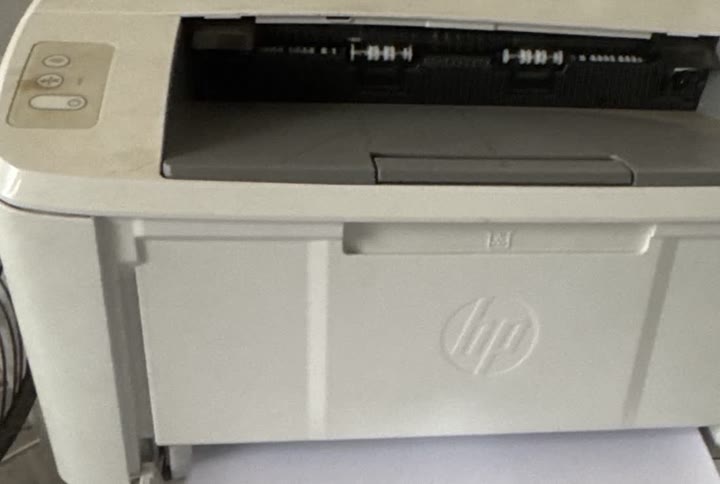
Take one clear photo of your own product. Then grab 2 official angles from the brand's website and one close-up of any detail that must stay exact.
Mine: my own printer, HP's front and side photos, and a close-up of the control panel.
These photos are locks, not pictures to show. They keep the product looking the same in every shot.
Step 2: The hero shot
One slow orbit around the product on a clean colour set.
Upload your product photo, the 2 official angles and the close-up, in that order.
My settings: 9:16, 1080p, 5 seconds, sound off.
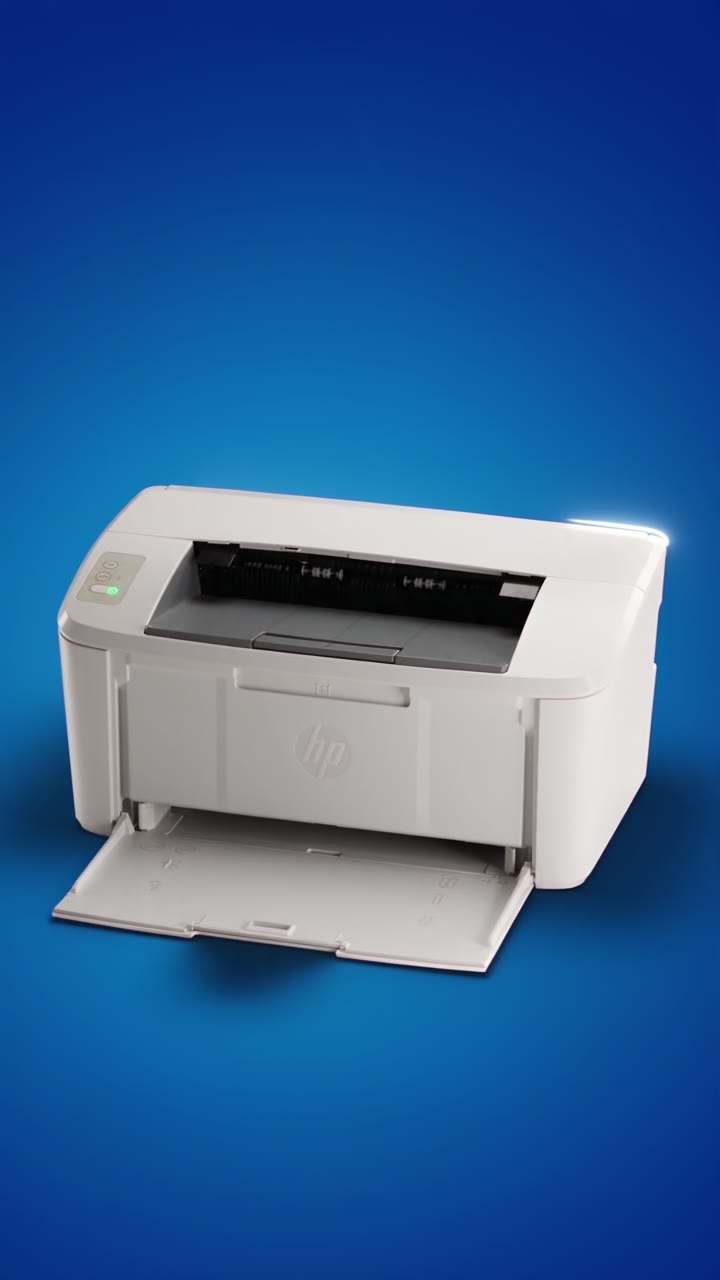
@Image1 is the main object: my own white HP LaserJet printer. Copy its shape, colour, control panel and logo exactly.
@Image2 and @Image3 are the same printer model from the front and from the right. Use them for shape and proportions only, never their grey studio background.
@Image4 is my own beige-gold control panel close up. Copy its colour and its three buttons exactly.

Use the references ONLY as locks for shape and colour. Do not display any reference image in any frame: no still photo holds, no photo inserts, no pan or zoom over a reference. Every frame is newly generated live action with continuous motion.

Vertical 9:16 format, 5 seconds, one continuous cinematic shot in one single take, photorealistic product film, realistic physics.

Camera: ARRI Alexa Mini LF, 50 mm Signature Prime at T2.8, 24 fps, 180 degree shutter, on a motion-control arm. One smooth slow orbit of 40 degrees from the printer's front-left to its front-right at printer height, constant speed, the printer centred in the lower half of the frame.

The printer from @Image1, the same in every second: a small white HP LaserJet M111w laser printer with a matte white plastic body and rounded edges; the beige-gold control panel from @Image4 at the top-left corner with three buttons in a vertical column, the small power light glowing green; a dark paper exit slot across the top with a grey output tray; a flat white front face with the HP circle logo embossed white-on-white in its centre, no ink; a white paper input tray at the bottom front.
Set: a seamless studio sweep in one deep saturated electric blue, hex 024AD8, floor and wall in one curve, no horizon line. The printer stands on the sweep.
Lighting: one large soft key from camera-left above, a thin cool white rim along the printer's top edges from behind, the blue sweep slightly darker toward the top of the frame, a soft natural shadow under the printer.
Colour grade: clean white printer, rich even blue, gentle contrast, fine grain, premium product-film look.

0.0 to 5.0 s: The printer from @Image1 stands still on the blue sweep while the camera orbits slowly from front-left to front-right. Nothing on the printer moves except the reflections and the rim light travelling across its edges.

PRESERVE: the printer's exact shape, colour, panel, green power light and embossed logo from @Image1 and @Image4; the even electric blue set; the constant orbit speed.
DO NOT ADD: no other objects, no paper, no cables, no hands, no people, no text, no reflections of a crew, no light flares, no props, no different printer, no still of any reference.

Text rule: the only mark on screen is the printer's embossed HP logo, unchanged and without ink. No labels, no numbers, no subtitles, no captions, no watermark, no titles.
Swap the printer description, the colour and the logo line for your product.
Step 3: The bullet time shot
The same bullet time trick from my earlier video, now on a product. Time freezes while the toner goes in.
Upload, in this order: a photo of your hands, the brand's drawing of the part, your product, the brand's drawing of where the part goes, and your desk.
My settings: 9:16, 1080p, 6 seconds, sound off.
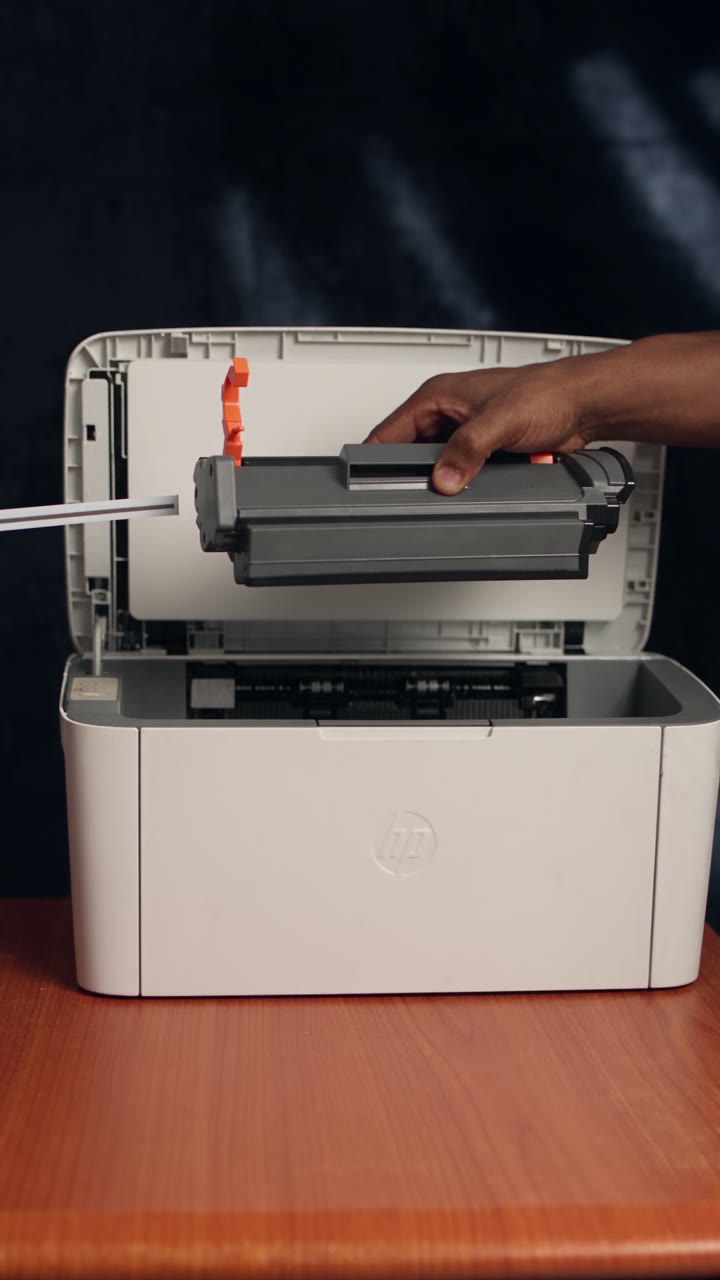
@Image1 is the main character: his hands and skin only, from the elbow down. Copy the skin tone, the hands and the short white sleeve exactly. Do not copy the phone, the trousers, the white background or anything else.
@Image2 is an official HP drawing of the toner cartridge with its two orange plastic guides clipped on top and an orange ring pull tab on a long thin white protective film strip. Use it for the cartridge's shape and the orange parts only, never its drawing style or its black arrows.
@Image3 is his own white HP LaserJet printer. Copy its shape, colour, control panel and logo exactly.
@Image4 is an official HP drawing of the same printer with its top cover lifted and the cartridge going in and out through the top. Use it only for where the cartridge goes, never its drawing style, its blue colour or its arrow.
@Image5 is the location: his desk and the dark navy velvet panel behind it. Do not copy its exact framing, the laptop or the papers.

Use @Image1 ONLY as an identity lock for the MAIN CHARACTER's hands and skin. His face never appears. Do not display any reference image in any frame: no still photo holds, no photo inserts, no drawing style, no pan or zoom over a reference. Every frame is newly generated live action; the bullet time is a frozen moment of the live scene, never a reference picture.

Vertical 9:16 format, 6 seconds, continuous cinematic shot in one single take, photorealistic real-life footage, realistic physics, strong spatial continuity.

Camera: ARRI Alexa Mini LF, 40 mm Signature Prime at T2.0, shot as if at 1,000 fps on a Phantom-style high-speed rig for the freeze, delivered at 24 fps. Starts locked at desk height, three-quarter front of the printer; during the freeze one smooth arc of at most 45 degrees on the front side; back to the start framing before time resumes.

His hands from @Image1, the same in every second: a young Black Nigerian man's hands with deep brown skin and a warm undertone, clearly lighter brown palms and inner fingers, long slim fingers, short clean natural nails, no rings, no watch, no bracelet; slim bare forearms; any sleeve in frame is a plain white woven cotton short sleeve.
The cartridge from @Image2, the same in every second: a long dark-grey and black HP laser toner cartridge with a raised handle along its top, two bright orange plastic guides clipped onto its top edge, and an orange ring pull tab on a long thin white film strip coming out of one end.
The printer from @Image3, the same in every second: a small white HP LaserJet M111w laser printer with a matte white body and rounded edges; a beige-gold control panel at the top-left corner with three buttons in a vertical column; a flat white front face with the HP circle logo embossed white-on-white, no ink; its top cover is lifted up and back like @Image4, showing the empty cartridge space inside.
Location from @Image5: the printer stands on his orange-brown wood-grain desk with black edges, in front of a dark navy crushed-velvet panel, soft white room light from camera-left plus a soft cool rim on the cartridge.
Colour grade: clean neutral whites, deep soft blacks on the cartridge, gentle contrast, fine grain.

0.0 to 1.0 s: His right hand from @Image1 holds the cartridge from @Image2 level, just above the open top of the printer. His left hand pulls the orange ring tab sharply sideways. The two orange guides spring up off the cartridge and the white film strip slides out behind the tab, each on a believable path.
1.0 to 1.5 s: Time slows sharply into a dramatic bullet time effect and stops. The cartridge stays in his still hand. Both orange guides hang in the air a short way above the cartridge. The film strip hangs in a soft frozen curve from the tab.
1.5 to 2.7 s: The camera glides in close to the frozen cartridge, which keeps its exact appearance, with shallow depth of field and the open printer soft behind it.
2.7 to 3.9 s: The camera arcs across the same frozen scene to the nearest orange guide, suspended in the air, sharp, the cartridge soft behind it.
3.9 to 4.8 s: The camera pulls back along the same arc and settles on the starting framing, the whole frozen scene in view.
4.8 to 5.4 s: Time snaps back to normal speed. The guides and the film strip drop onto the desk. Both his hands lower the cartridge straight down into the top opening of the printer, as @Image4 shows.
5.4 to 6.0 s: The cartridge seats with a small click, his right hand pushes the top cover down shut, and his hands leave the frame. The camera stays locked.

PRESERVE: his hands and skin from @Image1; the cartridge's shape and the two orange guides and pull tab from @Image2; the printer from @Image3; the top-loading direction from @Image4; the desk and velvet panel from @Image5; the start framing and the return to it.
DO NOT ADD: no face, no extra hands or fingers, no second cartridge, no toner powder or dust cloud, no sparks, no glow, no light trails, no lens flare, no people, no window, no laptop, no front door opening, no new objects, no different printer, no still of any reference.

Text rule: the only mark on screen is the printer's embossed HP logo, unchanged and without ink. Any label on the cartridge stays turned away or out of focus. The guides and the film carry no writing. No subtitles, no captions, no numbers, no watermark, no titles.
Step 4: The prompt that animated it
Every other scene (the child, the cyber café, the map) was made the same way: one prompt per shot.
Then I gave Claude all the clips, the voiceover and this prompt. It built every animation in the video in code: the moving light, the 3D cards, the words, the camera.
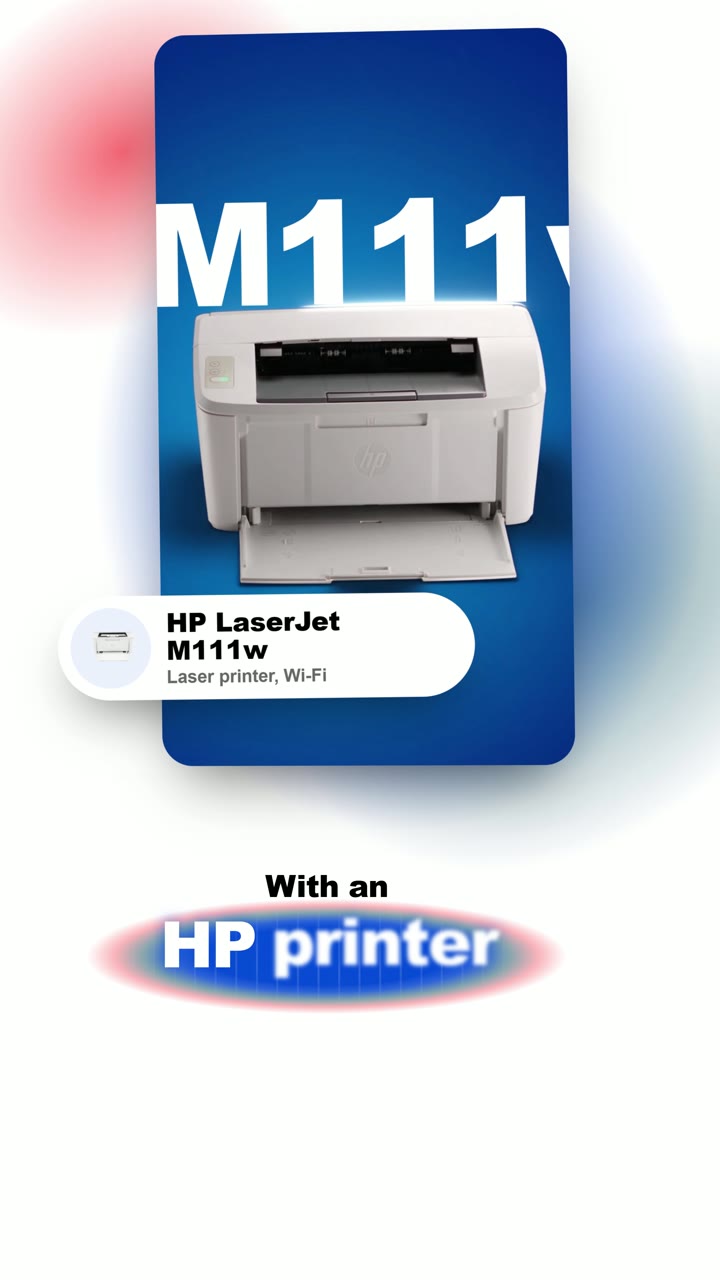
You are my motion designer. Build a 45-second vertical ad (9:16, 4K, 24 fps) for the HP LaserJet M111w from my clips and my voiceover.

Inputs: my AI clips, my voiceover file, and its word-by-word timings.
Brand colours only: Electric Blue #024AD8, white, black, Power Storm #568393, and Orange Bloom #FF5050 for small highlights.

1. The voice is the clock. Every cut, every word and every move lands on the word it belongs to. Never move the voice to fit the picture.
2. White canvas. Behind each clip, three soft glows in the brand colours that drift, breathe and slowly change shape. Never a flat colour fill behind anything.
3. Clips sit on big rounded cards with a soft shadow and no border. Each card tilts in 3D as it arrives and keeps a slow sway.
4. The whole frame floats slowly, like a camera on a gimbal. It is never locked off.
5. Type is Helvetica Bold. The small words are black. The key word of each line is white and sits inside a soft brand-colour glow with fine vertical glass streaks. Words appear one by one as they are spoken.
6. Put one big word behind the subject in three scenes: "tomorrow" behind the child, "M111w" behind the printer, "LASERJET" behind the printer. Cut the subject out so it stands in front of the word.
7. Give the product two slow close-ups of at least 2 seconds each.
8. Add motion blur to every move.
9. Real assets only: official logos, real app icons, a real map screenshot. Never draw an icon or a logo.
10. End on "Comment PROMPT" built from paper-cut letter tiles, a box that types out the prompt, then a 2-second "made by" card.

Before the full render, show me stills at 6 moments. Fix any word that runs off the frame or sits on a colour it cannot be read on. Then render.
The 6 rules I prompt with
Lock everything. Give the product, the hands and the room each their own reference photo.
Say what to keep. End every prompt with PRESERVE: the exact things that must not change.
Say what not to add. List the extras AI loves to invent: a second product, sparks, lens flares, extra fingers.
Control the text. Tell it exactly which words may appear, or it will write its own.
Never let it show the reference. Say the photos are locks only, or it will paste your photo into the video.
Name the camera. Lens, height and one move per shot. A vague camera gives a vague shot.
Want the whole system?
This is one way to prompt AI out of many.
There are 2 ways to get the rest.
1. Get the system now: TheEditCompanion
The Claude Code skill pack I used for the motion design in this video. It works with your own editing app.
2. Learn it with me: my AI masterclass
- How to write prompts AI actually understands
- The full creative director system I use
- How to make AI videos people pay for